Cignus PoC Radios - How to Create a Group Channel and Add Group Members
First, log-in your management account using this link: https://bit.ly/cignuspocstars
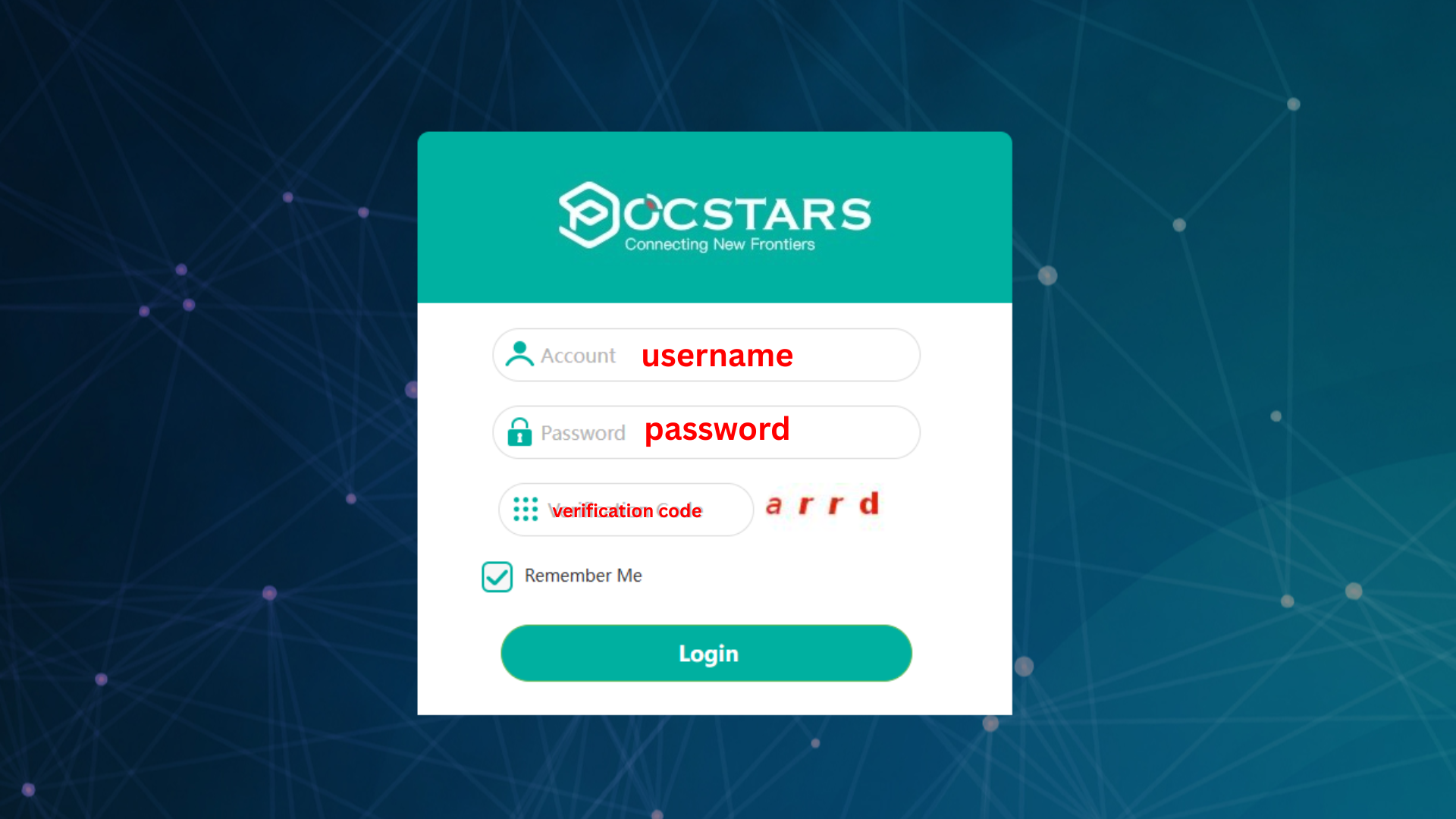
after log-in, you will see your account dashboard.
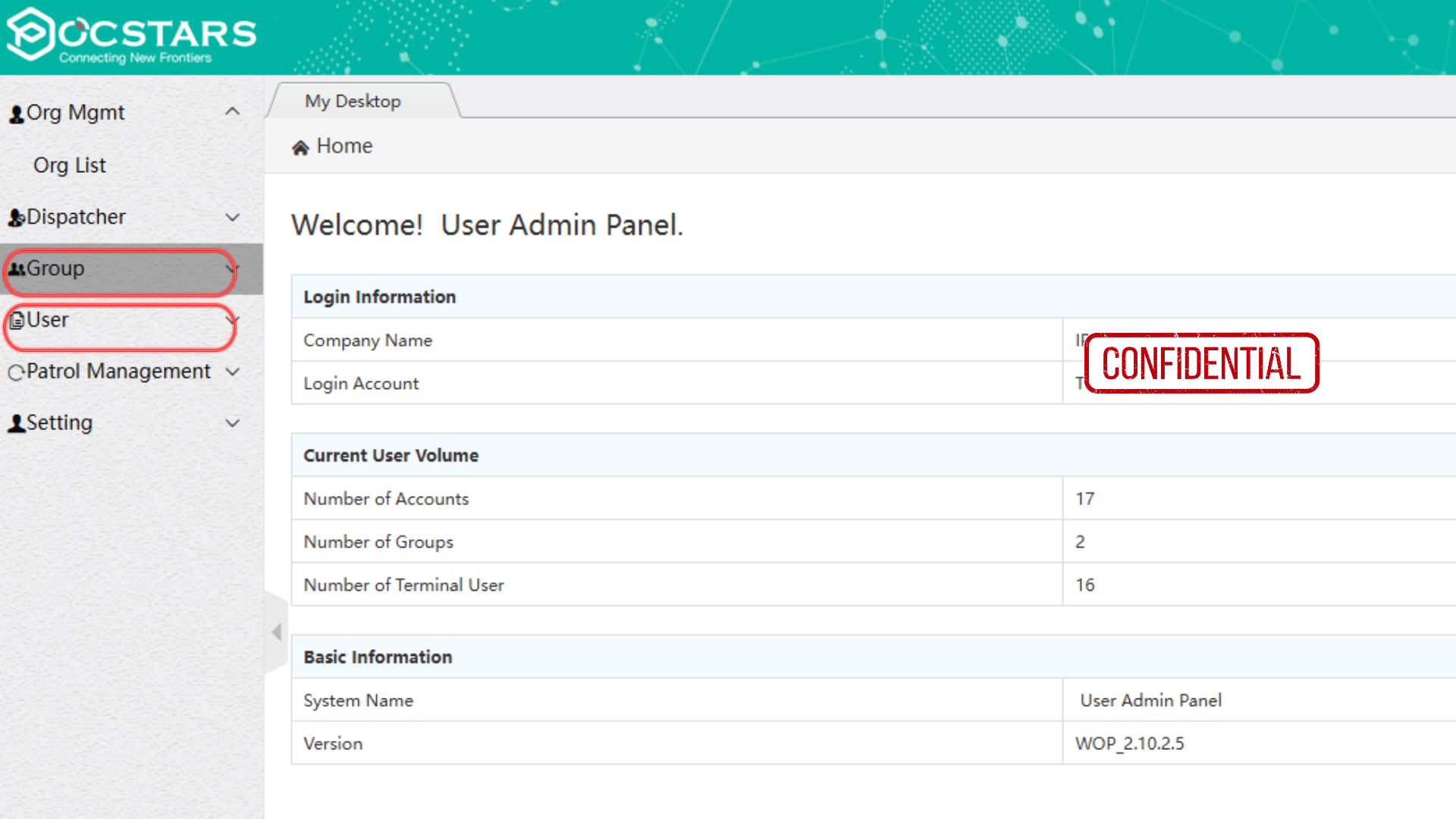
Ok. Let's go to the group settings
How to Create Group
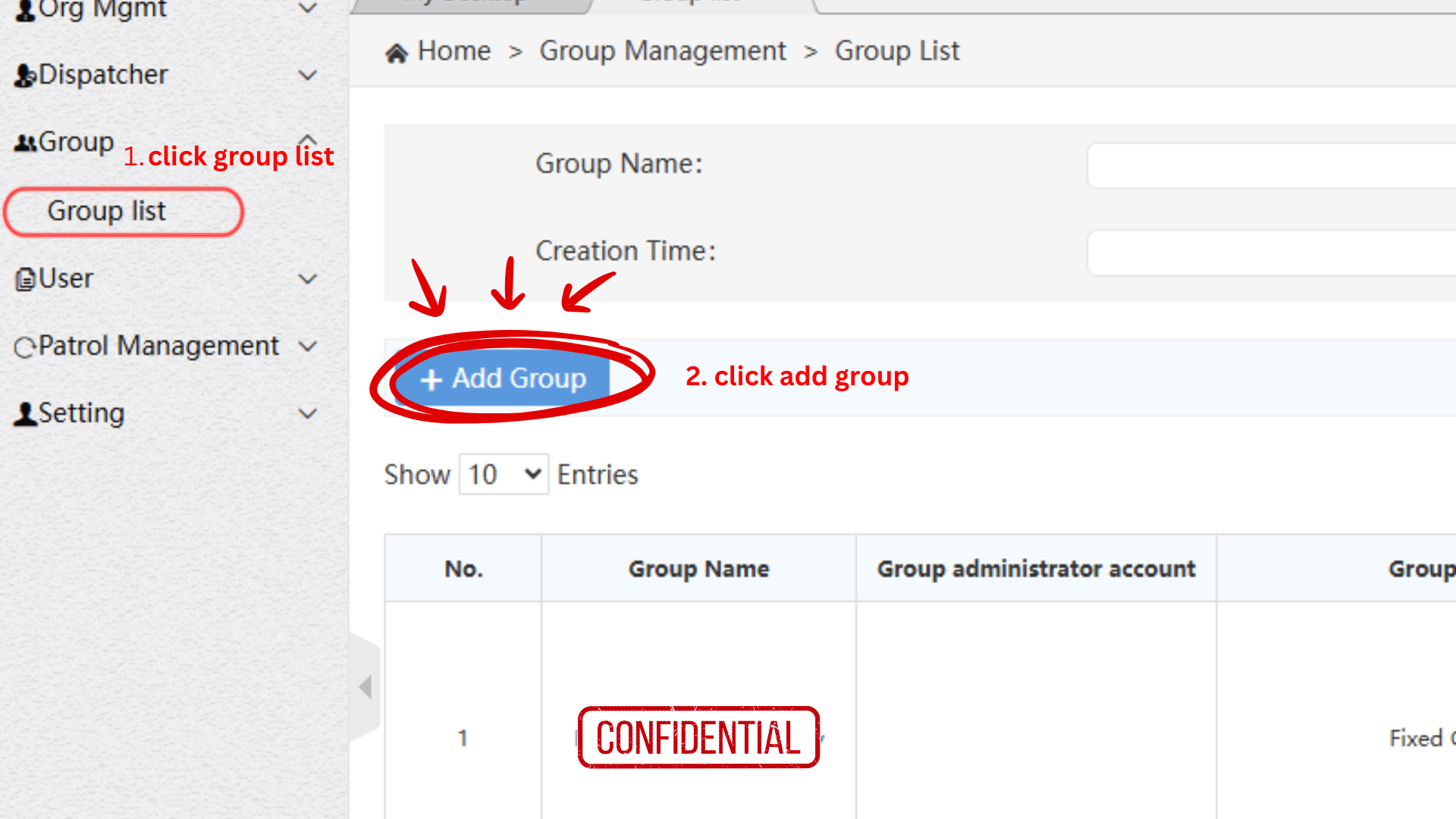
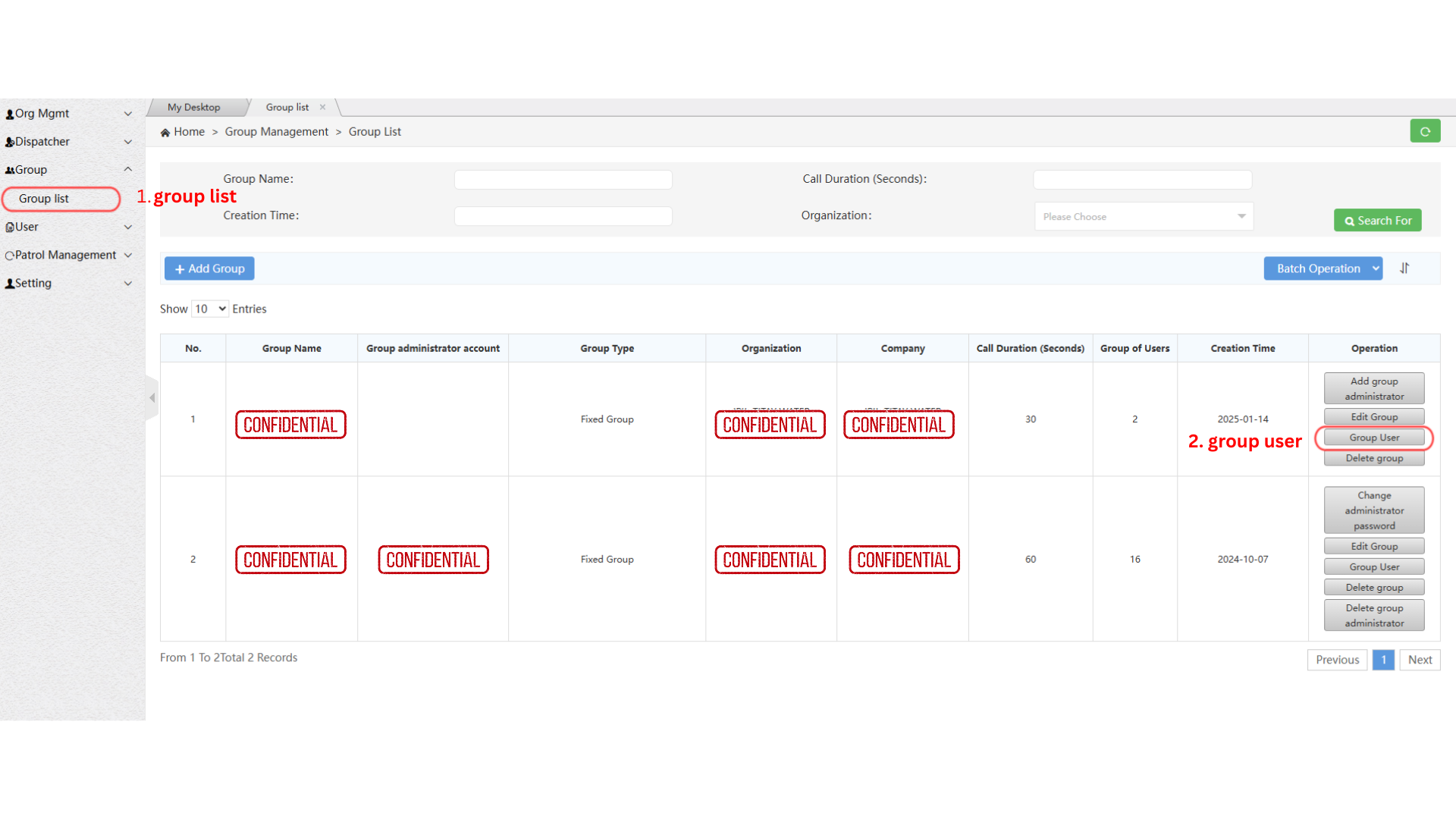
Step 1: Go to GROUP LIST under the GROUP tab.
Step 2: Click ADD GROUP.
Step 3: select / fill-out the required fields. then click SAVE.
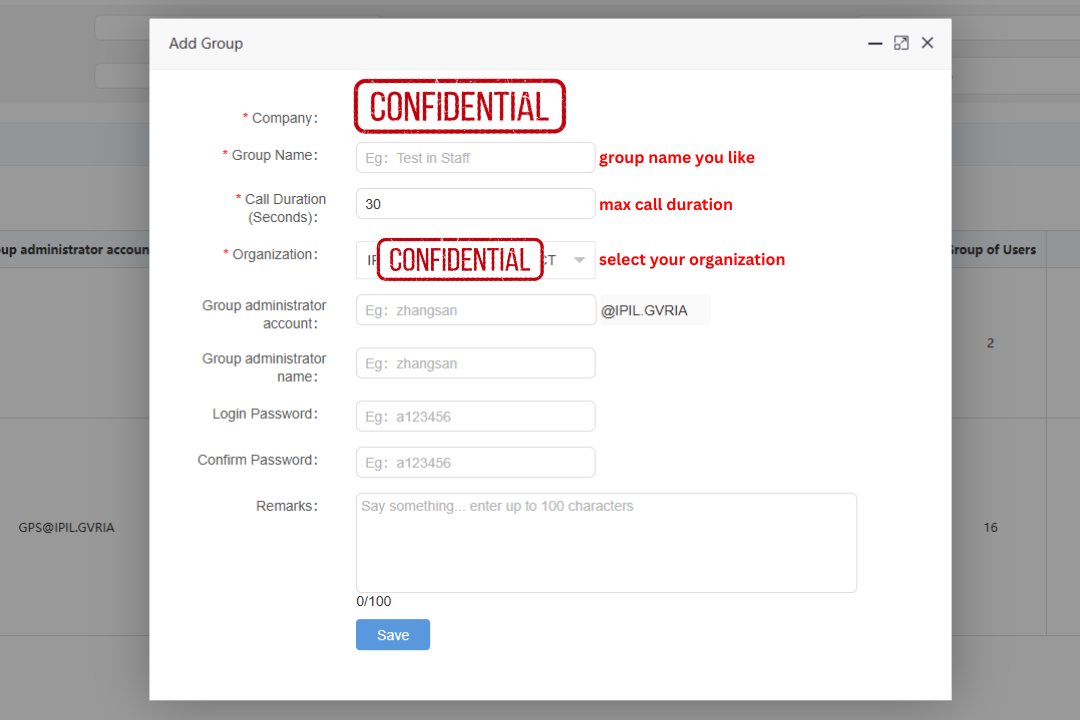
After creating a GROUP, you must add GROUP MEMBER/S
How to add GROUP MEMBERS
Step 1: click GROUP LIST under the GROUP tab
Step 2: Click GROUP USER
Step 3: Click RELATED USERS
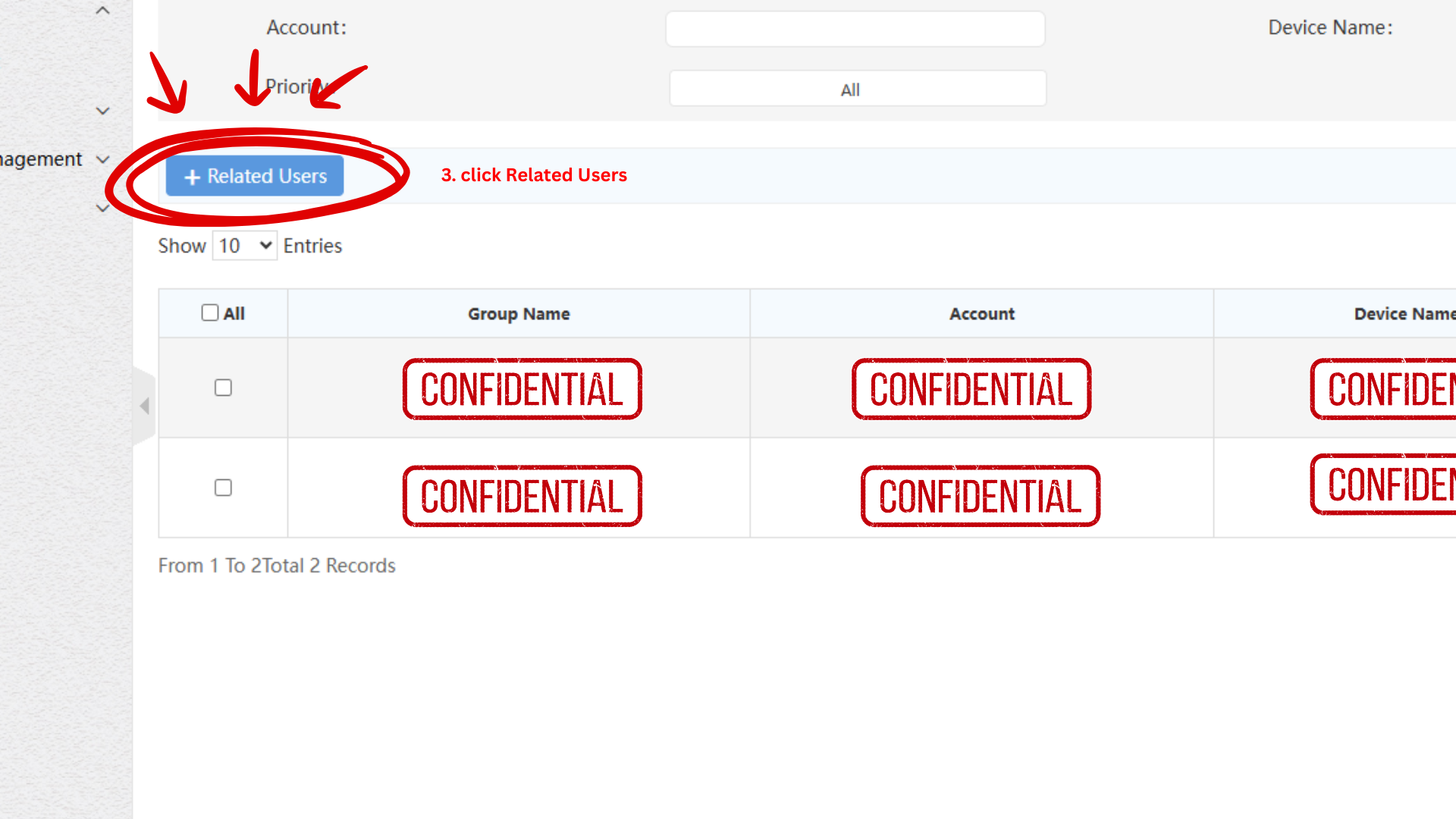
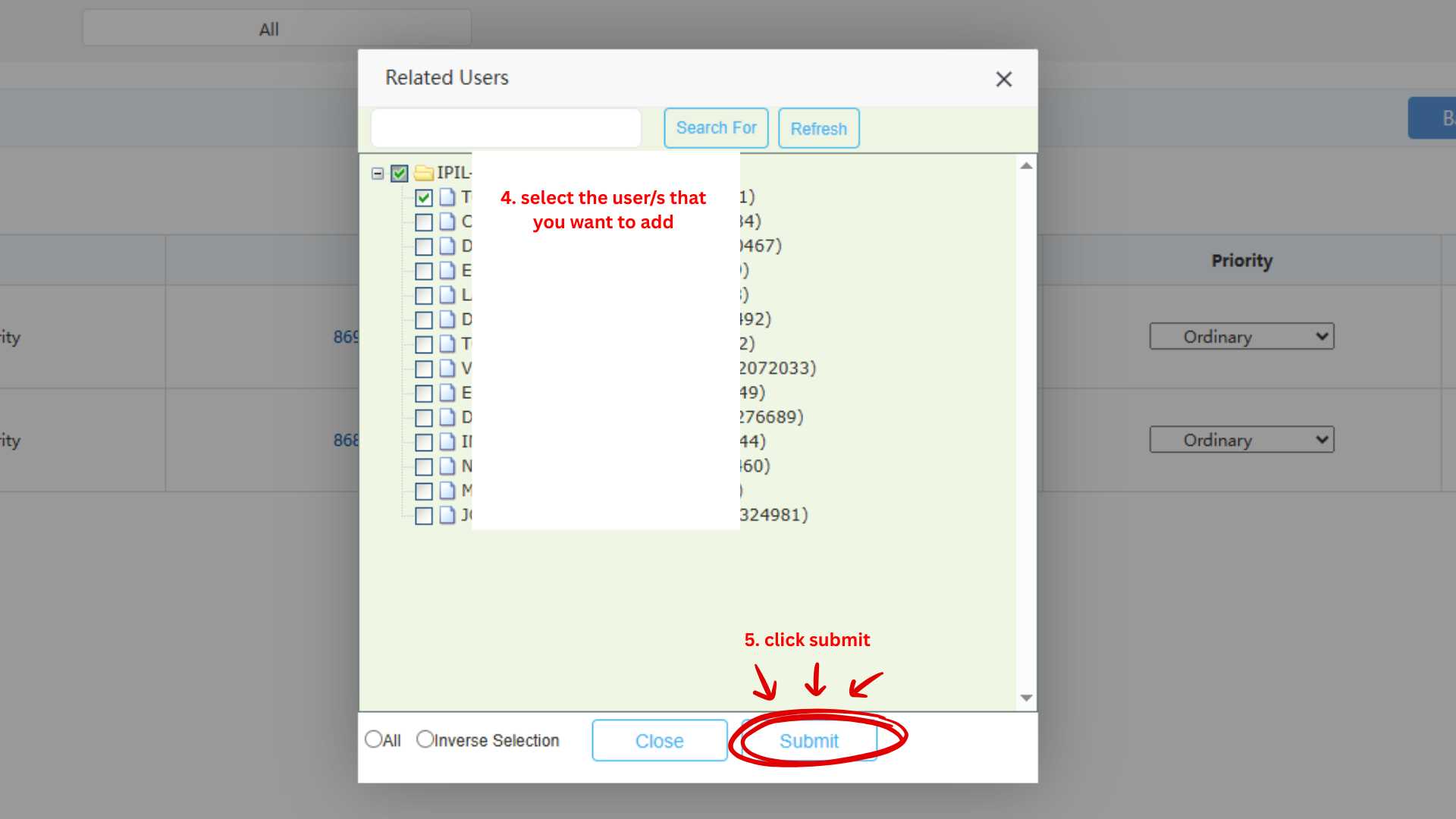
Step 4: Select users that you want to add
Step 5: Click SUBMIT